- DATE:
- AUTHOR:
- PowerSync Product Team
Managed Tables for Faster Local Queries (Alpha)
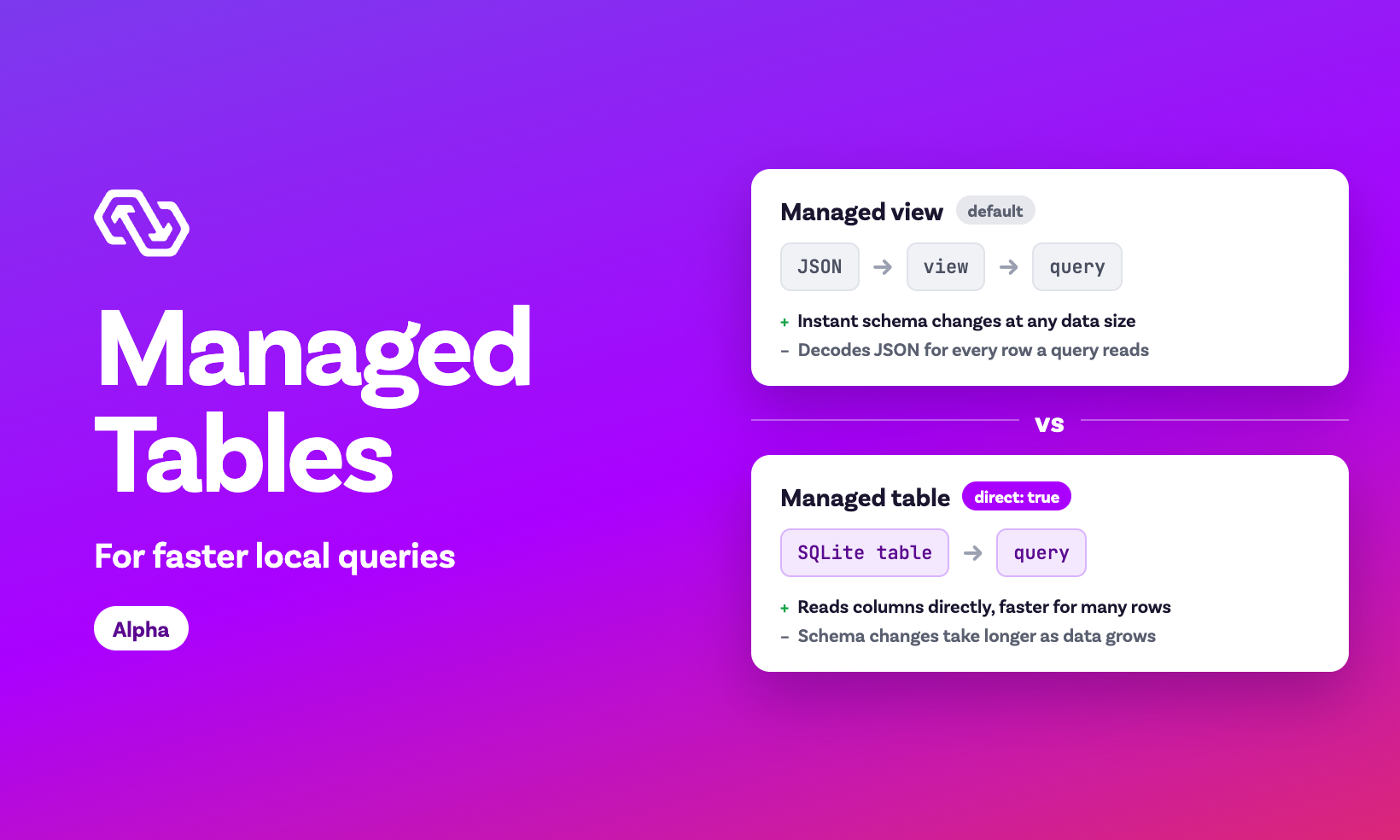
We added managed tables, a new way to store the tables of your client schema in your app's local SQLite database. By default, PowerSync stores synced data as JSON in an internal table. Each table in your schema becomes a managed view: a SQLite view that reads its columns from that JSON. A managed table stores the data in a regular SQLite table instead, so queries read values from its columns directly, without decoding JSON. Since there isn't overhead of decoding JSON, most queries run faster.
In our tests on a table with 1 million rows, SELECT * queries were about 2x faster on a managed table. Filtering, sorting, or aggregating on a column without an index was about 6x faster. Queries that look up a few rows by id or through an index gain little, because indexes already make them fast. These numbers come from our own simulated benchmarks. They seem promising, but we'd like more data from real apps.
Why we built managed tables
With managed views, you never write a client-side migration, because PowerSync only re-creates the views when your schema changes. The trade-off is that SQLite decodes the JSON of every row that a query reads.
When developers ran into slow queries, especially aggregates and long lists that read many rows, we typically recommended raw tables. Raw tables store data in regular SQLite tables, which makes those queries faster, but you create and migrate the tables yourself. Users felt stuck between two options: managed views with no migrations, or raw tables with faster queries but more maintenance. Recently more developers asked us for a middle ground (discussion #367), or built their own tooling for it (powersync.dart#333).
Managed tables are that middle ground. They use the same storage format as raw tables, but PowerSync creates and migrates them, like the default views. You get faster queries without writing table definitions or migrations yourself.
Use managed tables
Set the direct flag on a table in your client schema, for example in TypeScript:
const schema = new Schema({
  users: new Table({ name: column.text }, { direct: true })
});
To set the flag in Dart, Kotlin, Swift, or Rust, see Enabling Managed Tables in the docs.
When you add or remove the flag, PowerSync migrates the table's existing data automatically, in both directions and also for local-only tables. So you can switch the table behind your slowest queries, measure the difference, and switch back if it doesn't help.
Managed tables are opt-in, so your existing tables keep the default format and no action is needed on your end.
When to use which
Managed views (the default): Start with these, because schema changes are near-instant at any data size. The trade-off is that queries that read many rows, such as aggregates and long lists, can be slower.
Managed tables: Use them for a table whose aggregates, filters, or long lists are too slow with the default. The trade-off is that schema changes take longer.
Raw tables: Use them if you need full control over the SQLite table, such as foreign keys or custom triggers. The trade-off is that you create and migrate the tables yourself.
Faster queries, slower schema changes
As mentioned above, schema changes take longer on managed tables than on managed views. PowerSync runs them when your app opens the database with the new schema, before the database is ready for queries. PowerSync has to change the stored data, so the time grows with the number of rows:
When you switch a table to or from a managed table, PowerSync moves all of the table's existing rows.
When you add or remove a column, PowerSync runs
ALTER TABLEstatements on the table.After you add a column, PowerSync also fills it from the synced data on the device once the next sync completes.
In our tests on a table with 1 million rows, switching took a few seconds. Adding or removing a column took up to about a second.
For many apps, we expect faster queries to be worth slower schema changes, especially if your schema rarely changes.
Availability
JavaScript:
@powersync/web2.6.0,@powersync/react-native2.4.0,@powersync/node1.3.0, and@powersync/capacitor0.10.0Dart/Flutter:
powersync2.6.0Kotlin: 1.16.0
Swift: 1.17.0
Rust: 0.2.0
.NET: Not supported yet.
Caveats
Managed tables are in alpha, so the API may change based on your feedback.
Managed views convert each value to its column type in your client schema whenever your app reads or writes through the view. Managed tables have no view, so they store values as they were synced or written. If a value arrives as text in an
integercolumn, it stays text, so filters and sorting on that column can behave differently.If an app update adds an already-synced column to your client schema, managed views show its values immediately, even offline. Managed tables show
NULLuntil the next completed sync, so offline devices see empty values until they reconnect.Managed tables have no view, so you can't set
viewNameon them. In Dart,viewNameOverrideisn't available. If you useviewNameto switch a table from local-only to synced, keep that table as a managed view. We may addviewNamesupport for managed tables in a future version.In the JavaScript SDKs, High Performance Diffs don't support managed tables yet. Keep tables that you watch with High Performance Diffs as managed views for now.
Try them
Read Managed tables in the docs, then try them on a large table whose queries read many rows.
We may make managed tables the default in a future major version, and your feedback will help us decide. If you try them, let us know how it goes on X, Discord, or wherever you usually reach us.