- DATE:
- AUTHOR:
- PowerSync Product Team
PowerSync DevTools: Inspect Your App's Live Database
While you build your app, you often need to know what the PowerSync database in your app is doing. Is it connected and up to date? Did it hit a sync error? Which data is on the device, and which local changes still wait to upload? We had some tools for this, but each one was specific to one framework or SDK, and limited in what it showed. We wanted to solve this properly, with one tool that works across all our SDKs.
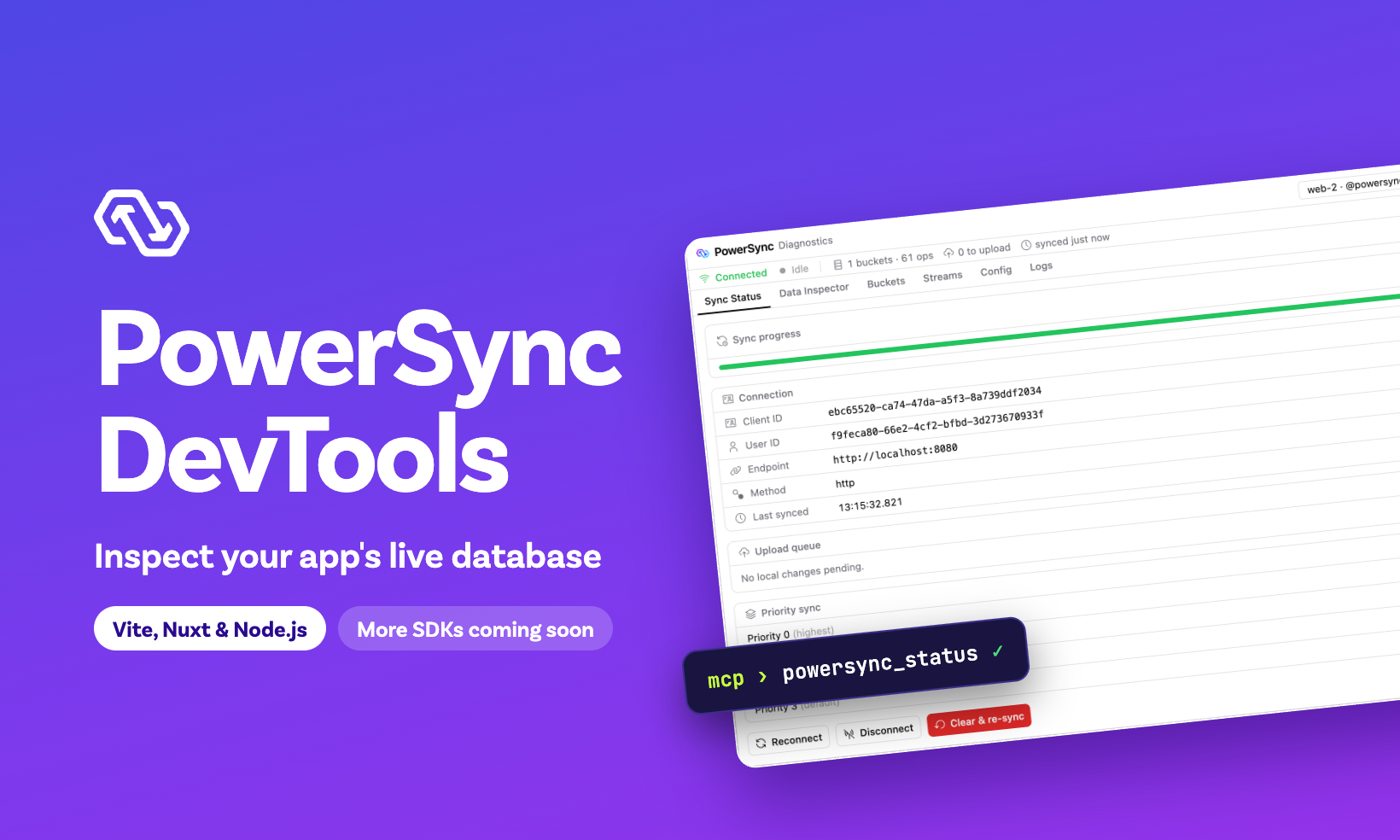
So we built PowerSync DevTools. It attaches to the PowerSync database in your running app and shows its live state. This includes the sync status, local data, Sync Streams, upload queue, connection details, and logs. You can also subscribe to a Sync Stream with any parameters to check which data it syncs to the device. Coding agents get the same access through MCP tools.
DevTools is now available for apps built with Vite, Nuxt, or Node.js. We are migrating the existing Flutter DevTools extension to this framework, and plan to add DevTools to our other SDKs too.
What you can do with it
DevTools reads from the database that your app has open, so it shows the same data that your app sees. You can:
Check that the database is connected and up to date, and see download and upload errors.
Browse your tables and run SQL against the local data.
See which buckets and Sync Streams the database syncs, and how far each one has downloaded.
Test a Sync Stream: subscribe to it with parameters, TTL, or a priority.
See the local changes that wait to upload.
Inspect the connection details, such as the PowerSync Service URL, user ID, and connection parameters, and the schema.
Read the SDK logs.
Test offline behavior: disconnect, reconnect, or clear and re-sync.
Request a checkpoint with Sync now, if your app connects with
checkpointMode: 'requests'. Read Sync Catch-Up.
You may wonder how DevTools fits with the Sync Diagnostics Client. Both are useful, because they answer different questions:
The Sync Diagnostics Client connects with a user's token instead of through your app, so it shows what the PowerSync Service syncs to that user. It works with every SDK and in any environment.
DevTools attaches to the PowerSync client in your running app, so it shows what that database is doing, including the local changes that wait to upload. Use it during development.
You can use both together.
Coding agents can inspect your app too
DevTools also exposes an MCP endpoint, so coding agents such as Claude Code or Codex can work with the PowerSync database in your running app. For example, you can ask your agent:
The comments list in my app is empty. Check the PowerSync sync status and the local data, and tell me why.The agent can read the sync status with powersync_status and look for errors. It can query the local data with powersync_query, or subscribe to a Sync Stream with powersync_action to see if the data arrives. To connect your agent and see all the available tools, read MCP Tools.
Warning: These tools can change local data. SQL writes to your schema tables are added to the upload queue. Your connector's uploadData() sends those changes to your backend, like writes from your app. Set your agent's permissions so that it asks you before it calls these tools.
Designed for all SDKs
Before DevTools, what you could inspect depended on your stack. Nuxt apps had the Nuxt inspector, and Flutter apps had the Dart & Flutter DevTools extension. The two tools had different features and other apps, such as React apps on Vite or Node.js apps, had no such tools yet.
For us, separate tools also meant double the work. They shared no code, so a fix or a new feature in one did not reach the other, and every new framework or SDK would need the whole tool built again.
DevTools has a common core that all SDKs share:
Protocol:
@powersync/diagnostics-coredefinesSdkIntegration, the interface that the UI uses to inspect a live database. It imports nothing from any SDK.UI:
@powersync/diagnostics-uiis one build that every host shows: the Vite DevTools dock, Nuxt DevTools, a browser window for Node.js, and soon Flutter DevTools.
Each SDK implements the protocol in its own language and connects to the live database in the way its environment allows. The JavaScript implementation is @powersync/diagnostics, and the Dart implementation is in progress. This works because all our SDKs use the same PowerSync SQLite core, so much of the data comes from the same SQL queries.
To learn how the protocol works, read the diagnostics-core README.
Availability
JavaScript: available now.
Vite web apps (React, Vue, Svelte, and others):
@powersync/web2.5.0 or later, with Vite 7 or later. Read the Vite setup.Nuxt:
@powersync/nuxt2.0.0 or later, with Nuxt DevTools 3 or 4. Read the Nuxt setup.If you currently use the PowerSync Nuxt inspector, follow the migration guide.
Node.js:
@powersync/node1.2.0 or later, with Node.js 20.16 or later. Read the Node.js setup.
Dart/Flutter: in progress. Follow PR #478. Until that is released, the current Dart & Flutter DevTools extension keeps working.
Caveats
Per-bucket totals and progress bars require
connect(connector, { diagnostics: true }).Clear & re-sync deletes local data, including pending uploads. Unsynced changes, such as writes made offline, are lost.
In Nuxt apps, the MCP tools need Nuxt DevTools 4, which is in beta and needs Nuxt 4.5 or later. Nuxt 4 installs Nuxt DevTools 3 by default, which has no MCP endpoint.
On the web, DevTools gets the database from an open app tab. If one page opens more than one PowerSync database, DevTools shows only the first one.
After an app tab is in the background for a while, DevTools can show "No PowerSync database attached". Reload the app tab to attach the database again.
Get started
Start with the DevTools overview and the setup guide for your environment. The React and Nuxt to-do list demos have DevTools set up.
Tell us what you think on Discord, or open an issue on powersync-js.
To vote for DevTools on another platform, submit an idea on the PowerSync Roadmap.